Know what needs to move.
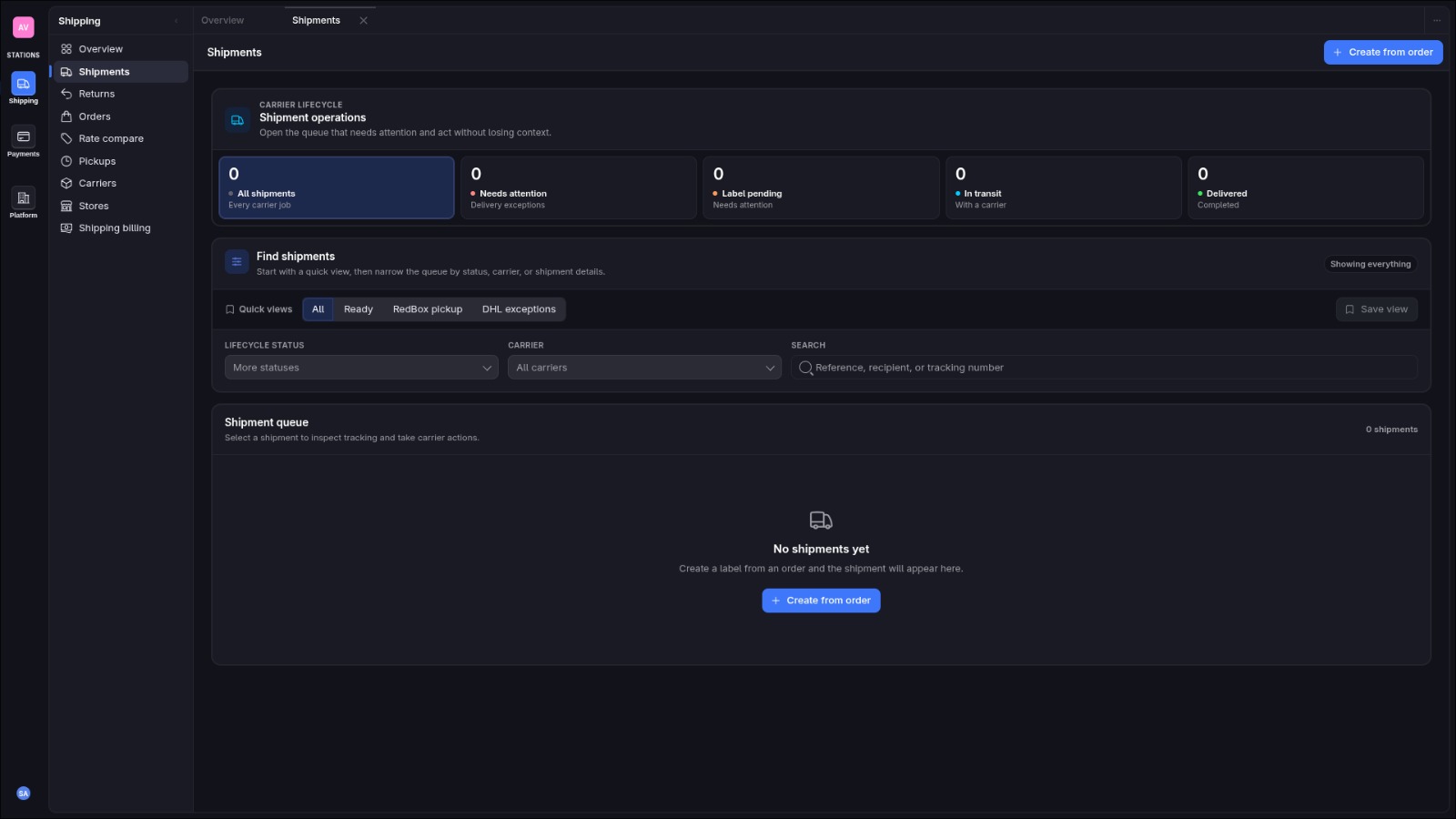
See imported orders, shipments, pickups, returns, and recent activity together. Your team can pick up the next task with the order context already in place.
Bring orders, carrier choices, shipments, delivery updates, and shipping spend into one clear workspace.
Shipments workspace
Why Station
Keep the decisions and handoffs behind every shipment in view, from the first order event to the final financial record.
See imported orders, shipments, pickups, returns, and recent activity together. Your team can pick up the next task with the order context already in place.
Compare the carrier services available for an order, including delivery estimates and the full merchant charge, before creating a shipment.
When a provider response is uncertain, Station keeps the operation identifiable and visible for review instead of presenting a false success.
How it works
Station follows each shipment through the decisions and handoffs that move it forward.
A connected commerce platform sends a signed order event into the merchant workspace.
See the services available for the shipment with comparable prices and delivery estimates.
Turn a selected quote into a carrier booking and label through a duplicate-safe flow.
Schedule supported pickups, follow tracking checkpoints, and surface exceptions.
Handle returns and claims with the related wallet, billing, and audit history in view.
Inside Shipping Station
Receive commerce orders through authenticated webhooks and keep each order tied to its source store.
Compare available carrier services using live quotes or approved rate cards.
Create shipments from selected quotes and keep labels linked to their carrier booking.
Schedule supported pickups and follow a persisted delivery timeline.
Manage reverse shipments and record damaged-delivery claim decisions.
Inspect shipping wallets, ledger activity, statements, and the audit trail.
Reliability
Carrier and payment networks can time out after accepting a request. Station keeps the original operation identifiable and makes uncertain outcomes visible for reconciliation.
Retries can replay the same request; conflicting reuse of a key is rejected.
An uncertain carrier result stays open for reconciliation rather than becoming a false success.
Wallet balances and ledger activity remain separated by currency.
Tenant boundaries, scoped permissions, API keys, and audit events make actions attributable.
Integrations
Station shows only the services a configured provider supports. Coverage and capabilities vary by account, carrier, and shipment lane.
 StationShipping workspaceOne operational workspace
The platform
Focused operational areas share identity, access, audit, and platform controls. Shipping Station is active today; additional Stations remain planned.
Authenticated APIs and signed webhooks connect commerce workflows while keeping tenant context, retries, errors, and audit history explicit.
FAQ
Here is how the shipping workflow fits together.
A connected commerce platform sends a signed order event into the merchant workspace, where the order can be used for the shipping flow.
Yes. Station shows available services with comparable prices and delivery estimates for the shipment. Availability depends on the configured provider and shipment lane.
Station keeps the original operation identifiable and shows uncertain outcomes for review, so your team can reconcile the result before taking another action.
The shipping workspace includes wallet balances, ledger activity, statements, and related audit history.
Manage order flow, carrier decisions, delivery operations, and shipping spend in one workspace.